What Can Be Detected in AI Media
A plain-language map of the signals a file may carry, the checks this site can run, and the places where only an official tool can answer.
Someone drops an image into your inbox and asks, “Can you tell if this is AI?” The honest answer is usually: not from one clue, and not with a magic yes-or-no button. Files can carry several kinds of provenance signals, but each signal answers a different question. Some are fragile labels. Some are signed receipts. Some are embedded in the media itself. Some require an official detector that this site does not control.
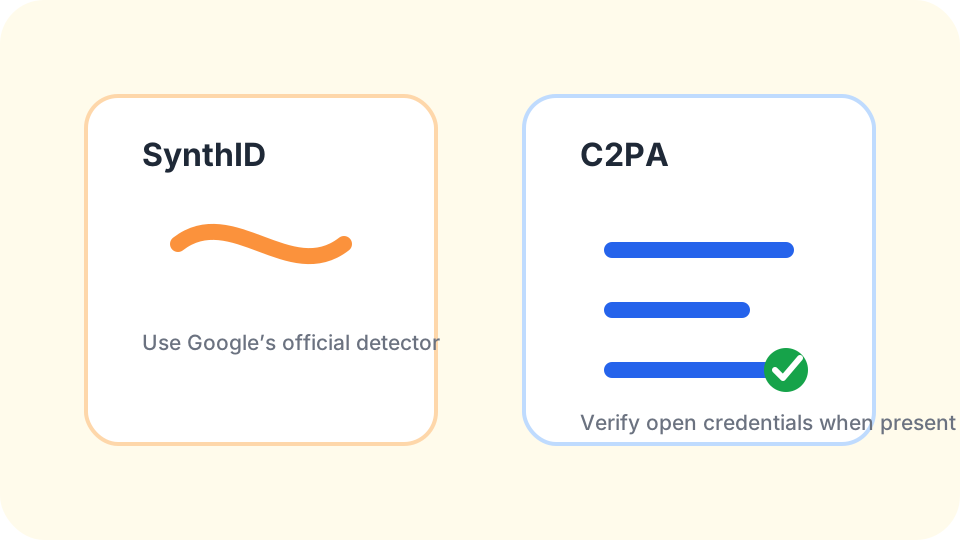
That is why this overview matters. An AI watermark detector is not one thing. It may be reading metadata, verifying C2PA Content Credentials, looking for an older Stable Diffusion-related watermark, or pointing you toward Google's SynthID tooling. Confusing those systems leads to bad conclusions. A checker can say that a file carries a signal. It cannot honestly say that a file is human-made just because a signal is missing.
Metadata is the easiest clue to read and the easiest clue to lose
Metadata is information stored alongside the file. In an image, that may include camera details, software names, timestamps, color profiles, export tools, or comments. In some AI workflows, metadata may include generator names or prompt-related fields. In ordinary creative workflows, it may simply show an editor such as a photo app or design tool.
This site can read many common metadata fields locally in your browser through the EXIF metadata viewer. That is useful because it can surface obvious workflow clues without sending the file away for a server-side inspection. If the Software field says something like a known generator interface, that is relevant. If the file shows a camera make and lens, that is also relevant. Neither clue is the whole story.
Metadata is not a security system. It can be stripped by social networks, messaging apps, export settings, screenshots, and format conversions. It can also be edited. A metadata result should be written as “this field is present in this file,” not as a final judgment about origin.
C2PA Content Credentials are signed provenance records
C2PA Content Credentials are different from plain metadata because they are built around signed manifests. A credential can describe assertions about creation, editing, or publishing, and the signature can help show whether that manifest still verifies. When present and valid, it is a stronger kind of evidence than a loose text field.
Use the C2PA checker when you want to know whether the file carries a verifiable credential. A positive result can support a careful statement: the file carries Content Credentials, and the displayed information is what the manifest reports. That does not mean every earlier edit in the file's life is known. It also does not mean every platform will preserve the manifest.
If C2PA credentials are missing or invalid, stay calm. The absence of a credential is not suspicious by itself. Many files are created without credentials. Some honest edits can detach or invalidate a manifest. The result tells you about the tested copy, not about every version that ever existed.
Stable Diffusion watermark checks are narrower than people expect
Some older Stable Diffusion tooling used an open-source invisible watermark approach. At a plain-language level, that means a signal may be placed into the image data rather than stored only as a metadata field. This is not the same thing as SynthID, and it is not the same thing as C2PA.
For Stable Diffusion files, this site is most useful as a first-pass metadata and workflow inspection tool. The Stable Diffusion watermark check page explains the narrow case in more detail. We may surface related tags, such as generator or interface names left in metadata, when they are still present. We do not promise to decode every invisible watermark or identify the exact model that made an image.
That distinction matters because people often ask how to check if an image is AI when the real evidence is scattered. A Stable Diffusion-related clue can support a provenance note. It should not become a claim that no other tool was involved, or that a file with no such clue is safe to label as human-made.
Video and audio files carry container labels too
Video and audio work a little differently from still images. A clip is wrapped in a container, and that container often keeps labels about the codecs, resolution, sample rate, and the software that packaged the file. Those labels can be useful for triage — a mismatched creation time, an unexpected encoder, or a missing credential marker can all be worth a second look.
The video and audio metadata checker reads those labels with ffprobe and reports them in plain language. The same honesty rules apply: an encoder label describes how the file was packaged, not whether the content is AI-made, and a clean-looking container is not a certificate of human authorship.
Re-save and stripping traces are clues, not verdicts
A different question people bring to a file is whether it has been rewritten: exported again, resized, or stripped of its details before it reached them. That can be read from file structure and leftover metadata, but only as heuristic signals — hints that are easy to trigger on ordinary files. The photo tampering check reports those traces and states the everyday situation that can cause each one.
It is worth keeping this category separate from AI detection. A file that was re-saved may have been edited by a person, compressed by a platform, or produced by a generator, and a structural check cannot always tell those apart. It also reports no probabilities, because there is no honest percentage to give.
SynthID belongs with Google's official detector
SynthID is Google's provenance and watermarking family. As of this writing, checking SynthID itself should be done with Google's official SynthID Detector or Google's own documentation and tools. This site is not Google and does not claim to read SynthID directly.
You can still use this site before the official check. Run metadata and C2PA inspections first so you understand the file you have. Then, if SynthID is the specific question, follow the practical sequence in how to use Google's SynthID Detector. Keep the result tied to the exact uploaded file, especially if your copy came from a platform download or screenshot.
A reported SynthID signal is meaningful within the limits of the official tool. A missing signal is not a certificate of human authorship. That boundary is the heart of honest AI-media checking.
Use the signals together, then stop at the evidence
The best workflow is layered. Read the metadata. Verify credentials if present. Consider whether the file may have an embedded watermark that needs an official or specialized tool. Look at the source chain. Compare the original, the exported copy, and any social-media download if you have them.
Then write your conclusion in evidence-shaped language. “The file carries C2PA Content Credentials.” “The metadata names this software.” “Google's detector reported a SynthID signal.” “No relevant signal was found in this copy.” Those statements are useful because they are narrow. They do not pretend that missing evidence proves a negative.
If you are dealing with edits, crops, screenshots, or recompression, read why AI watermarks survive some changes before making a call. The file may have lost one kind of signal while keeping another. Provenance work is not about winning an argument with a single badge. It is about preserving what can be checked and refusing to say more than the file supports.
AI-media signal questions
Is metadata the same as a watermark?
No. Metadata is stored alongside the file, while an embedded watermark is designed to live in the media data itself.
Can Content Credentials prove every edit?
They can report signed claims in a manifest when present, but they do not automatically reveal every possible past version.
Which signals can Check AI Media read?
This site can inspect common metadata, C2PA credentials, and video and audio container labels. SynthID should be checked with Google’s official tool.
Why do different checkers disagree?
They may be looking for different signal types, and each signal can survive or disappear differently during edits.
The safest conclusion names the signal, the tool, and the exact copy tested.