C2PA Content Credentials Checker
Check whether an image carries a signed provenance record, then read the result without turning it into more than it says.
Imagine a news desk receives an image from a freelancer, or a designer sends a finished asset and says it was exported from a trusted tool. A normal metadata field might help, but a signed provenance record is stronger. This c2pa checker looks for Content Credentials attached to the file and shows what can be read from the copy you selected.
The check is local. Your image is inspected in the browser, not uploaded for us to review. That makes the page useful for early review, sensitive drafts, and simple triage before you decide whether to ask the sender for the original.
Think of it as a provenance reader, not a lie detector. It is especially helpful when you need to separate a file with an attached receipt from a file that merely looks suspicious.
Check the file’s Content Credentials
We’ll read the attached record and run basic signature and integrity checks in this browser.
Choose the earliest, least-compressed copy you have.
What Content Credentials are.
Content Credentials are a signed manifest that can travel with a media file. In plain terms, they are a receipt. The receipt may describe who issued it, what tool created or edited the asset, and whether the file still matches the attached record. The important word is “may,” because credentials are voluntary and depend on the tool, export settings, and later handling.
A valid credential can be meaningful. It can show that a participating tool attached a provenance record and that the record still lines up with the file being checked. That is different from guessing based on pixels. It is also different from ordinary EXIF, which is easier to edit and often less formal.
This is why a credential can be useful in an editorial, classroom, marketplace, or moderation workflow. It gives you a specific artifact to examine instead of asking everyone to trust a visual impression.
What a valid result does not prove.
A signed record is not a complete biography of the image. It describes the claims and actions included in that manifest. It does not prove there were no earlier steps outside the record, and it does not automatically tell you whether every edit was acceptable for your policy, class, publication, or contract.
Use the result as a provenance signal, not a moral verdict. If the credential says an asset was generated or edited by a tool, you can report that. If it says a publisher or application signed a record, you can report that too. If the context matters, ask for the source file and the workflow behind it.
How to verify C2PA signals here.
Choose the image, wait for the result, and read the status carefully. The checker opens the attached manifest, checks whether its signature and file bindings still line up, and translates the useful fields into plain English. It may show who signed the record, which tool wrote it, when it was signed, and what creation or editing actions were recorded. A valid result means those basic checks passed for this copy; it does not independently prove the signer’s real-world identity unless a trusted signer match is also reported.
It is often worth pairing this with the EXIF metadata viewer. Credentials and metadata answer different questions. One file may have a signed manifest and very little camera metadata. Another may have software fields but no credential. For the bigger picture, see what can be detected in AI media before writing a public claim.
Why credentials disappear.
Content Credentials can be lost when a file is copied through a service that strips metadata, exported into a format or setting that does not preserve the manifest, screenshotted, resized, or edited by software that does not keep the record attached. None of that proves bad intent. It just means the copy in front of you may no longer carry the receipt.
That is the main trap with any content credentials checker: people want “not found” to mean “not AI.” It does not. It means this particular check did not find the signed provenance signal in this particular copy.
How this differs from watermark checking.
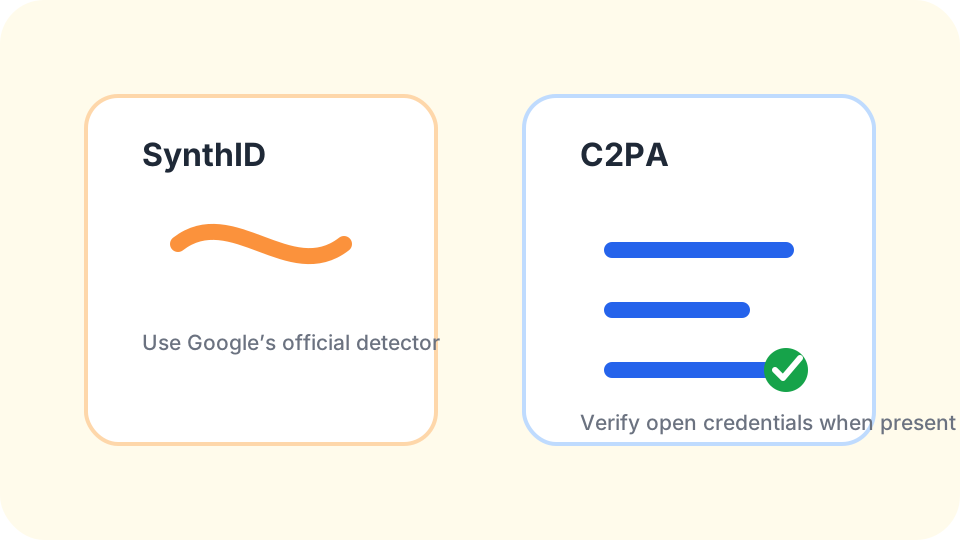
C2PA-style credentials are readable records. Watermarks may be visible, hidden, proprietary, or readable only by the company that created them. Google SynthID is the example we are most careful about: only Google’s official detector can read it. If your file may come from a Google product, start with the official SynthID path rather than treating this page as a substitute.
The honest workflow is simple: read the credentials if they exist, inspect ordinary metadata if needed, and refuse to turn silence into certainty. A provenance record is valuable because it is specific. Keep your conclusion specific too.
Content Credentials questions
Can a Content Credential be valid after editing?
It can be, depending on how the edit was performed and whether the later tool preserved and updated the signed record.
Who decides what the manifest says?
The tool or organization that creates the credential records the claims it is designed to include, so the manifest should be read as a signed provenance statement.
Why would an AI image have no credential?
The generator may not attach one, the exporter may omit it, or a later platform may remove the record from the shared copy.
Is this the same as checking EXIF?
No. EXIF is ordinary file metadata, while Content Credentials are signed provenance records with a different purpose.
Does no C2PA signal clear a file for publication?
No. It only says this check did not find that credential signal, so publication decisions still need source context and policy judgment.
A credential is strongest when it stays attached to the original file. If you only have a reposted or compressed copy, ask for the source before making a high-stakes call.